Async Code in Node.js: Callbacks and Promises
I am a developer learning web development , I am a college dropout pursuing my passion in software field
Mastering the Flow: Async Code in Node.js (Callbacks vs. Promises)
Node.js is renowned for its speed and efficiency, but its power doesn't come from raw CPU cycles. Instead, it comes from how it handles time-consuming tasks. In this post, we’ll explore the evolution of asynchronous code in Node.js, moving from the foundational callbacks to the modern elegance of Promises.
Why Async Code Exists in Node.js
Node.js operates on a single-threaded event loop. This means it can only execute one piece of code at a time. If Node.js were to handle tasks "synchronously"—meaning it waits for one task to finish before starting the next—a single slow task (like reading a massive file or waiting for a database response) would "block" the entire application.
Asynchronous programming [Inference] addresses this by allowing Node.js to offload I/O operations to the system kernel. While the kernel works on the background task, the event loop continues to process other requests. Once the background task is complete, the kernel notifies Node.js so it can execute the associated logic.
The Starting Point: Callback-Based Execution
The earliest way to handle async operations in Node.js was through callbacks. A callback is simply a function passed as an argument to another function, intended to be executed once an operation is complete.
Example: Reading a File
Imagine we need to read a configuration file to start our server. In a callback-based world, it looks like this:
JavaScript
const fs = require('fs');

console.log("Start reading file...");

fs.readFile('config.json', 'utf8', (err, data) => {
    if (err) {
        console.error("Error reading file:", err);
        return;
    }
    console.log("File content:", data);
});

console.log("Doing other things while the file is being read...");
The Callback Flow Step-by-Step
Initiation:
fs.readFileis called. Node.js hands the request to the file system.Continuance: Instead of waiting, Node.js immediately moves to the next line of code (
console.log("Doing other things...")).Completion: When the file system finishes reading, it places the callback function into a queue.
Execution: The Event Loop picks up the callback and runs it, providing either an error (
err) or the file content (data).
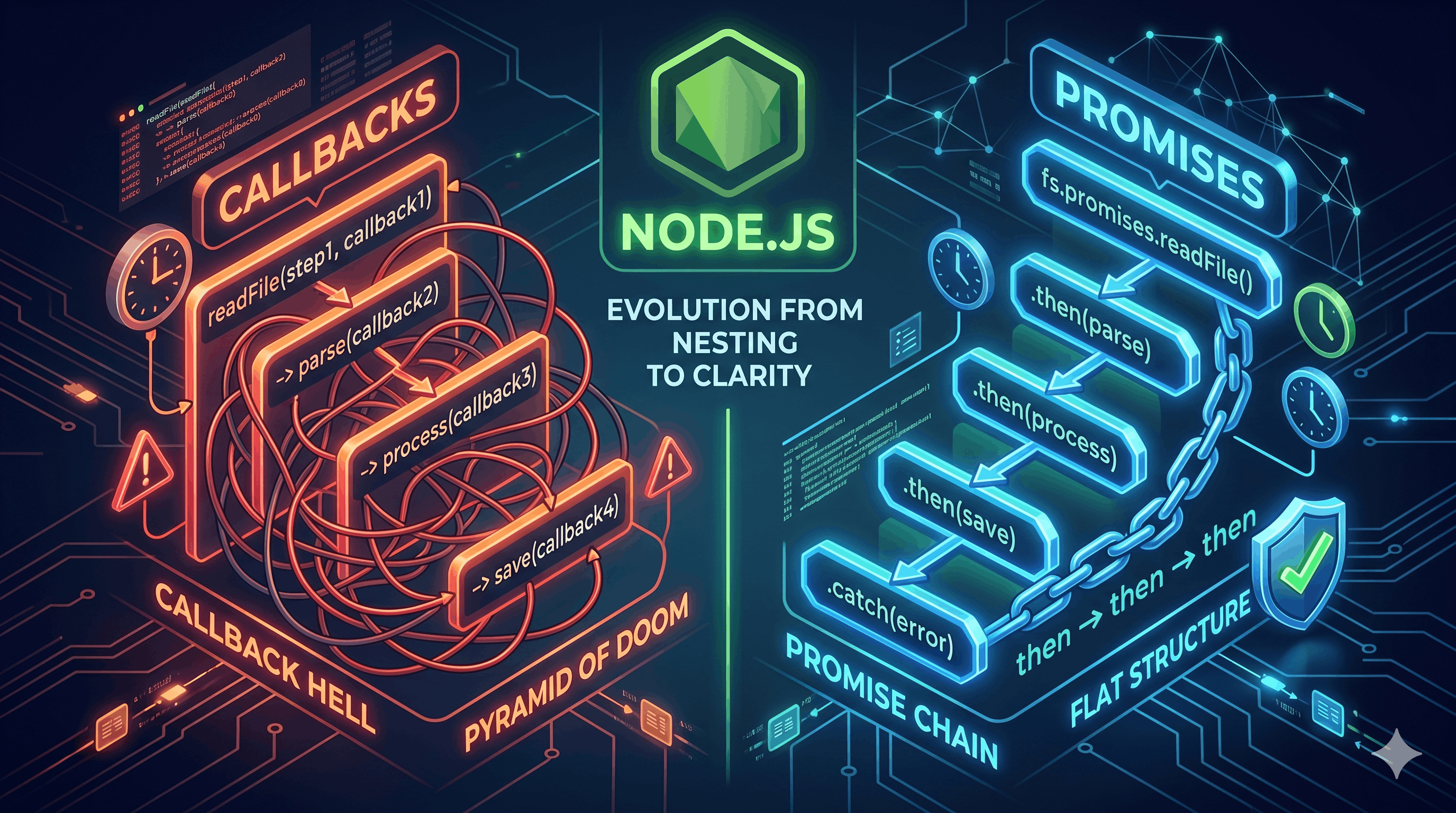
The Pain Point: Nested Callbacks (Callback Hell)
Callbacks work well for simple tasks, but they become difficult to manage when you have multiple dependent operations. If you need to read a file, use that data to query a database, and then write a log based on the query result, your code begins to grow horizontally.
JavaScript
fs.readFile('user.json', (err, user) => {
    if (!err) {
        db.findUser(user.id, (err, profile) => {
            if (!err) {
                fs.writeFile('log.txt', profile.name, (err) => {
                    // This is "Callback Hell" or the "Pyramid of Doom"
                });
            }
        });
    }
});
The Problems:
Readability: The "pyramid" shape makes it hard to follow the logical flow.
Error Handling: You must manually check for
errat every single level, which is repetitive and prone to bugs.Maintenance: Adding or removing steps in the chain is [Speculation] often tedious and leads to syntax errors.
The Evolution: Promise-Based Handling
A Promise is an object representing the eventual completion (or failure) of an asynchronous operation and its resulting value. Think of it as a placeholder for a value that hasn't arrived yet.
The Promise Lifecycle
A promise is always in one of three states:
Pending: Initial state, neither fulfilled nor rejected.
Fulfilled (Resolved): The operation completed successfully.
Rejected: The operation failed.
Rewriting the File Example
Using the promise-based version of the file system module (fs.promises), the code becomes much cleaner:
JavaScript
const fs = require('fs').promises;

fs.readFile('config.json', 'utf8')
    .then(data => {
        console.log("File content:", data);
    })
    .catch(err => {
        console.error("Something went wrong:", err);
    });
Benefits of Promises
1. Improved Readability (Chaining)
Promises allow you to "chain" operations using .then(), keeping the code flat and vertical rather than nested and horizontal.
Callback Style | Promise Style |
Deeply nested (Pyramid) | Linear and flat |
Hard to track scope | Clear data flow between steps |
Error handling at every level | One |
2. Centralized Error Handling
In a promise chain, if any step fails, the execution jumps straight to the nearest .catch(). This [Inference] helps ensure that errors are not silently ignored, which is a common risk with callbacks.
3. Better Composition
Promises make it easier to manage multiple async tasks simultaneously using tools like Promise.all(), which waits for a group of promises to finish before proceeding.
Conclusion
While callbacks were the bedrock of early Node.js development, Promises have become the standard for writing clean, maintainable asynchronous code. They [Inference] mitigate the "Callback Hell" problem and provide a more robust structure for handling errors.
[Unverified] Understanding these two patterns is essential, as many legacy Node.js libraries still use callbacks, while modern APIs almost exclusively return Promises. Mastering both ensures you can navigate any Node.js codebase with confidence.


